很多杂志在发表文章的时候要求用Helvetica、Arial或者Times New Roman的字体,而R软件做图的时候并没有提供这些字体。今天在研究这个问题的时候发现一个讨论贴很好:
http://stackoverflow.com/questions/4094094/modifying-fonts-in-ggplot2
使用
windowsFonts这个函数就可以达到要求,如下是我自己为了画线性回归而写的一个theme:
library(ggplot2)
windowsFonts(HEL=windowsFont("Helvetica CE 55 Roman"),
RMN=windowsFont("Times New Roman"),
ARL=windowsFont("Arial"))
old_theme <- theme_update(
plot.title=theme_text(
family="ARL", size=18, face="bold", colour="black"),
axis.title.x=theme_text(
family="HEL", size=15, colour="black"),
axis.title.y=theme_text(
family="HEL", size=15, angle=90, colour="black"),
axis.text.x=theme_text(family="RMN", size=11, colour="black"),
axis.text.y=theme_text(family="RMN", size=11, colour="black"),
axis.ticks=theme_segment(colour="black"),
panel.grid.major=theme_blank(),
panel.grid.minor=theme_blank(),
panel.background=theme_blank(),
axis.line=theme_segment(size=1)
)
运行如上的程序,直接调用函数画图:
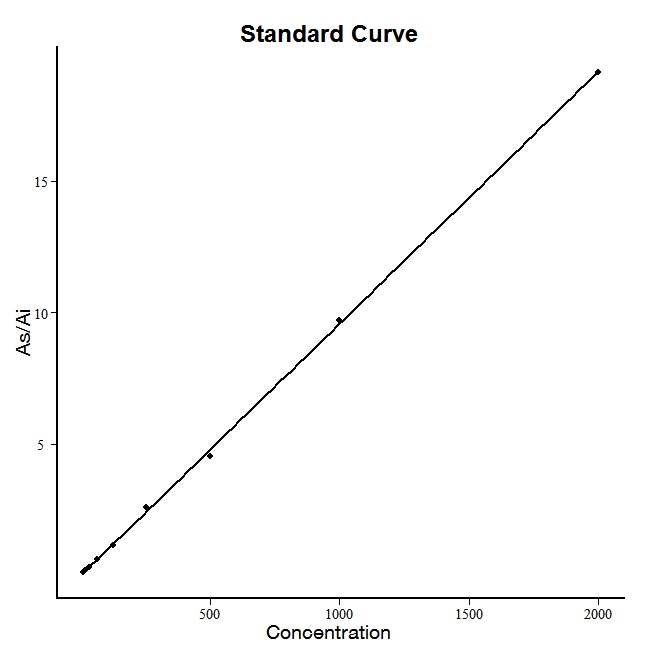
运行的效果:

我把gglot2里面的背景、框线都给去掉了,当然,上图还需要进一步的修饰,不过离要求已经很近了。折腾了半天的经验跟大家分享一下。




 扫码加好友,拉您进群
 全部版块
全部版块 我的主页
我的主页


 收藏
收藏