
经管之家App
让优质教育人人可得
立即打开



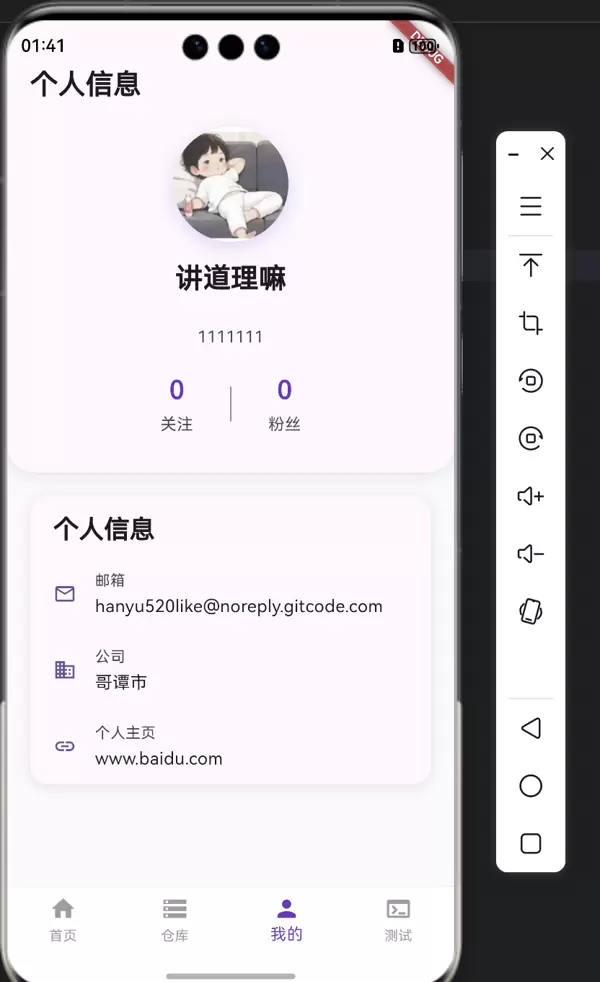
在上一篇文章中,我们为 GitCode 项目实现了部分基础功能。本文将继续在此基础上进行拓展与完善,逐步提升项目的完整性和可用性。
根据 API 文档,系统提供了一个用于获取已授权用户信息的接口,返回内容包括用户的头像、昵称、个人描述、所属公司以及邮箱等数据。基于这些信息,我们计划构建一个独立的页面来呈现用户的个人资料。
首先,依据接口文档中的响应结构(Response),我们需要创建对应的 Dart 实体类以映射返回数据。
GitCodeUserRepo由于该部分内容较为常规,代码细节不再赘述。
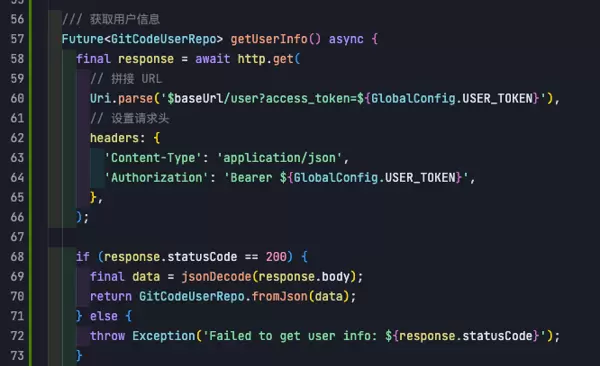
接着,在负责封装网络请求的文件中新增获取用户信息的接口方法。该文件此前已用于管理其他请求,因此只需继续扩展即可。
GitCodeApiService// 仓库模型类
class GitCodeRepo {
final int id;
final String fullName;
final String humanName;
final String url;
final String path;
final String sshUrlToRepo;
final String httpUrlToRepo;
final String webUrl;
final String description;
final String language;
final String defaultBranch;
final int stargazersCount;
final int forksCount;
final String pushedAt;
final String createdAt;
final String updatedAt;
final RepoOwner owner;
final RepoNamespace namespace;
GitCodeRepo({
required this.id,
required this.fullName,
required this.humanName,
required this.url,
required this.path,
required this.sshUrlToRepo,
required this.httpUrlToRepo,
required this.webUrl,
required this.description,
required this.language,
required this.defaultBranch,
required this.stargazersCount,
required this.forksCount,
required this.pushedAt,
required this.createdAt,
required this.updatedAt,
required this.owner,
required this.namespace,
});
factory GitCodeRepo.fromJson(Map<String, dynamic> json) {
// 处理URL中的空格和反引号
String cleanUrl(String url) {
return url.trim().replaceAll('`', '');
}
return GitCodeRepo(
id: json['id'],
fullName: json['full_name'] ?? '',
humanName: json['human_name'] ?? '',
url: cleanUrl(json['url'] ?? ''),
path: cleanUrl(json['path'] ?? ''),
sshUrlToRepo: json['ssh_url_to_repo'] ?? '',
httpUrlToRepo: cleanUrl(json['http_url_to_repo'] ?? ''),
webUrl: cleanUrl(json['web_url'] ?? ''),
description: json['description'] ?? '',
language: json['language'] ?? '',
defaultBranch: json['default_branch'] ?? '',
stargazersCount: json['stargazers_count'] ?? 0,
forksCount: json['forks_count'] ?? 0,
pushedAt: json['pushed_at'] ?? '',
createdAt: json['created_at'] ?? '',
updatedAt: json['updated_at'] ?? '',
owner: RepoOwner.fromJson(json['owner'] ?? {}),
namespace: RepoNamespace.fromJson(json['namespace'] ?? {}),
);
}
}
// 仓库所有者模型
class RepoOwner {
final String id;
final String login;
final String name;
final String avatarUrl;
final String htmlUrl;
final String type;
RepoOwner({
required this.id,
required this.login,
required this.name,
required this.avatarUrl,
required this.htmlUrl,
required this.type,
});
factory RepoOwner.fromJson(Map<String, dynamic> json) {
// 处理URL中的空格和反引号
String cleanUrl(String url) {
return url.trim().replaceAll('`', '');
}
return RepoOwner(
id: json['id'] ?? '',
login: json['login'] ?? '',
name: json['name'] ?? '',
avatarUrl: cleanUrl(json['avatar_url'] ?? ''),
htmlUrl: cleanUrl(json['html_url'] ?? ''),
type: json['type'] ?? '',
);
}
}
// 仓库命名空间模型
class RepoNamespace {
final int id;
final String type;
final String name;
final String path;
final String htmlUrl;
RepoNamespace({
required this.id,
required this.type,
required this.name,
required this.path,
required this.htmlUrl,
});
factory RepoNamespace.fromJson(Map<String, dynamic> json) {
// 处理URL中的空格和反引号
String cleanUrl(String url) {
return url.trim().replaceAll('`', '');
}
return RepoNamespace(
id: json['id'] ?? 0,
type: json['type'] ?? '',
name: json['name'] ?? '',
path: json['path'] ?? '',
htmlUrl: cleanUrl(json['html_url'] ?? ''),
);
}
}
完成接口和实体类编写后,暂不急于开发 UI 界面,而是优先验证接口是否能够正常返回数据。推荐方式是在 test 目录下编写单元测试用例进行验证。
不过,由于项目初始化时已预留了调试页面,我选择直接在该页面中执行测试逻辑。
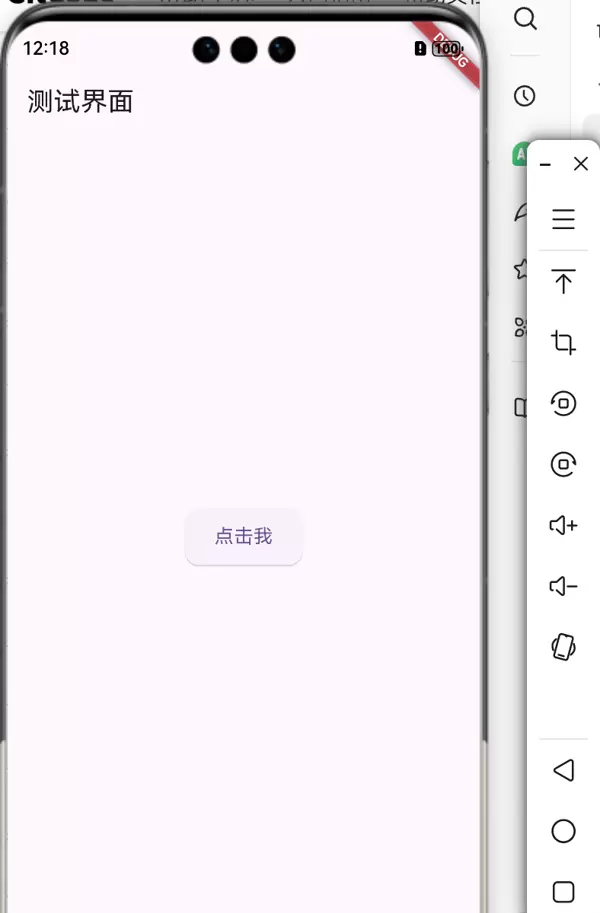
如图所示,测试界面极为简洁:仅包含一个按钮,点击后触发用户信息请求。
GitCodeApiService apiService = GitCodeApiService();
final userInfo = await apiService.getUserInfo();
print('用户信息: ${userInfo.name}');
若控制台成功输出用户名信息,则表明接口通信正常,数据解析无误。
接下来,在指定文件中实现个人信息的可视化布局。
main.dart界面样式可根据实际需求自由设计,以下为当前采用的视觉方案:
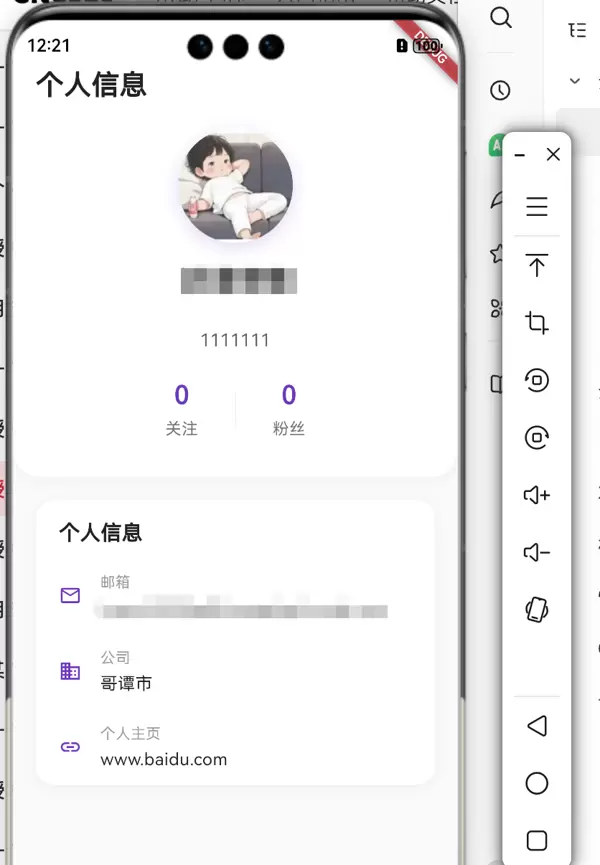
当一个接口的流程走通之后,其余类似功能的开发便具有高度相似性:定义实体类 → 声明请求接口 → 测试验证 → 数据绑定到界面。
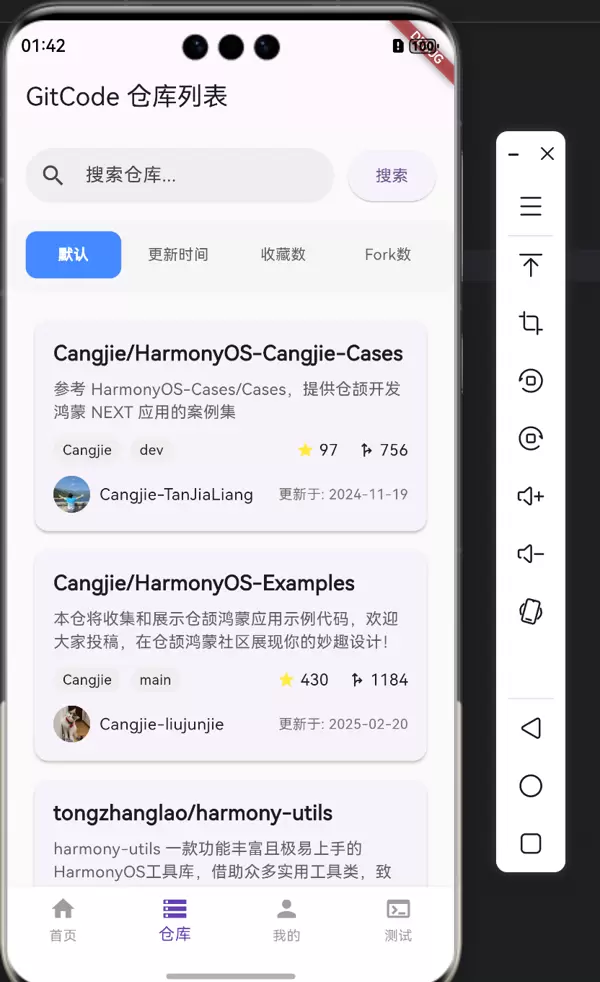
针对仓库搜索功能,我们也遵循这一模式进行开发。
class GitCodeUserRepo {
  final String avatarUrl;
  final String followersUrl;
  final String htmlUrl;
  final String id;
  final String login;
  final String name;
  final String type;
  final String url;
  final String bio;
  final String blog;
  final String company;
  final String email;
  final int followers;
  final int following;
  final List<String> topLanguages;

  GitCodeUserRepo({
    required this.avatarUrl,
    required this.followersUrl,
    required this.htmlUrl,
    required this.id,
    required this.login,
    required this.name,
    required this.type,
    required this.url,
    required this.bio,
    required this.blog,
    required this.company,
    required this.email,
    required this.followers,
    required this.following,
    required this.topLanguages,
  });

  factory GitCodeUserRepo.fromJson(Map<String, dynamic> json) {
    return GitCodeUserRepo(
      avatarUrl: json['avatar_url'] ?? '',
      followersUrl: json['followers_url'] ?? '',
      htmlUrl: json['html_url'] ?? '',
      id: json['id'] ?? '',
      login: json['login'] ?? '',
      name: json['name'] ?? '',
      type: json['type'] ?? '',
      url: json['url'] ?? '',
      bio: json['bio'] ?? '',
      blog: json['blog'] ?? '',
      company: json['company'] ?? '',
      email: json['email'] ?? '',
      followers: json['followers'] ?? 0,
      following: json['following'] ?? 0,
      topLanguages: List<String>.from(json['top_languages'] ?? []),
    );
  }
}
/// 获取仓库列表
/// [page] 分页页码
/// [query] 搜索关键词
Future<List<GitCodeRepo>> getRepositories(int page, {String sort = '', String query = 'harmony'}) async {
final response = await http.get(
Uri.parse('$baseUrl/search/repositories?access_token=${GlobalConfig.USER_TOKEN}&page=$page&per_page=5&q=$query&sort=$sort'),
headers: {
'Content-Type': 'application/json',
'Authorization': 'Bearer ${GlobalConfig.USER_TOKEN}',
},
);
if (response.statusCode == 200) {// 解析JSON数据
final List<dynamic> data = json.decode(response.body);
return data.map((item) => GitCodeRepo.fromJson(item as Map<String, dynamic>)).toList();
} else {
throw Exception('Failed to get repositories: ${response.statusCode}');
}
}说明:该接口支持分页加载,需传递 page 参数;同时,搜索关键词为必填项且不可为空,因此我们在实现时为其设置了默认值。sort 参数用于指定排序规则,属于可选字段,可不传。
搜索区域下方设有四个选项卡,分别对应不同的排序策略。每个选项卡切换时,都会重新发起请求,携带相应的 sort 值,并刷新列表数据。
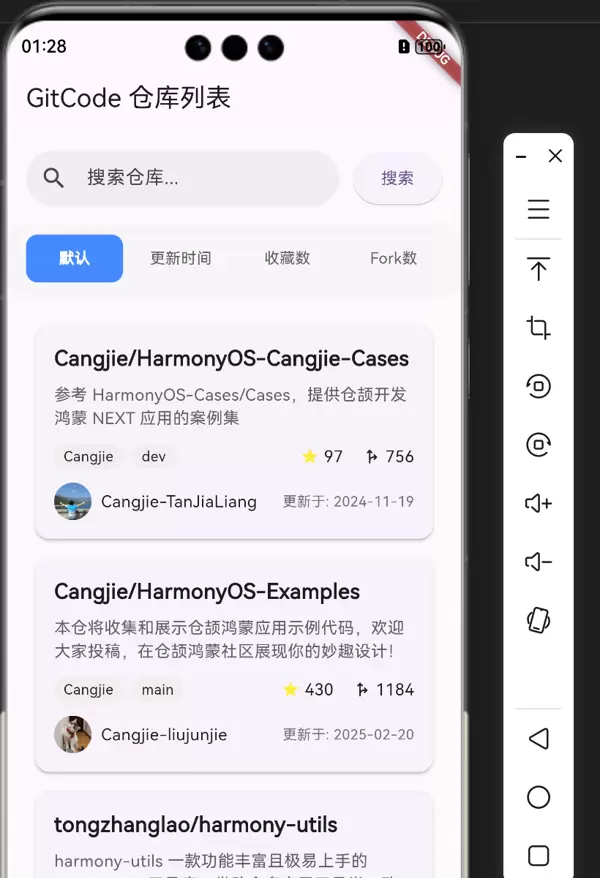
目前项目已具备两个主要功能页面:仓库搜索页和个人信息页。为了方便用户在两者之间快速切换,我们引入底部导航栏(Bottom Tab Bar)机制。
具体实现方式是,在
main.dart文件中的
Scaffold组件内添加
bottomNavigationBar结构,从而实现标签页之间的路由控制。
Scaffold(
  body: IndexedStack(
    index: _currentIndex,
    children: _pages,
  ),
  bottomNavigationBar: BottomNavigationBar(
    currentIndex: _currentIndex,
    items: _bottomNavItems,
    onTap: (index) {
      setState(() {
        _currentIndex = index;
      });
    },
    type: BottomNavigationBarType.fixed,
    selectedItemColor: Colors.deepPurple,
    unselectedItemColor: Colors.grey,
    backgroundColor: Colors.white,
  ),
);

// 底部导航栏项
final List<BottomNavigationBarItem> _bottomNavItems = [
  BottomNavigationBarItem(
    icon: Icon(Icons.home),
    label: '首页',
  ),
  BottomNavigationBarItem(
    icon: Icon(Icons.storage),
    label: '仓库',
  ),
  BottomNavigationBarItem(
    icon: Icon(Icons.person),
    label: '我的',
  ),
  BottomNavigationBarItem(
    icon: Icon(Icons.terminal),
    label: '测试',
  ),
];

// 对应tab的页面
final List<Widget> _pages = [
  HomeScreen(),
  RepoListScreen(),
  ProfileScreen(),
  const TestScreen(),
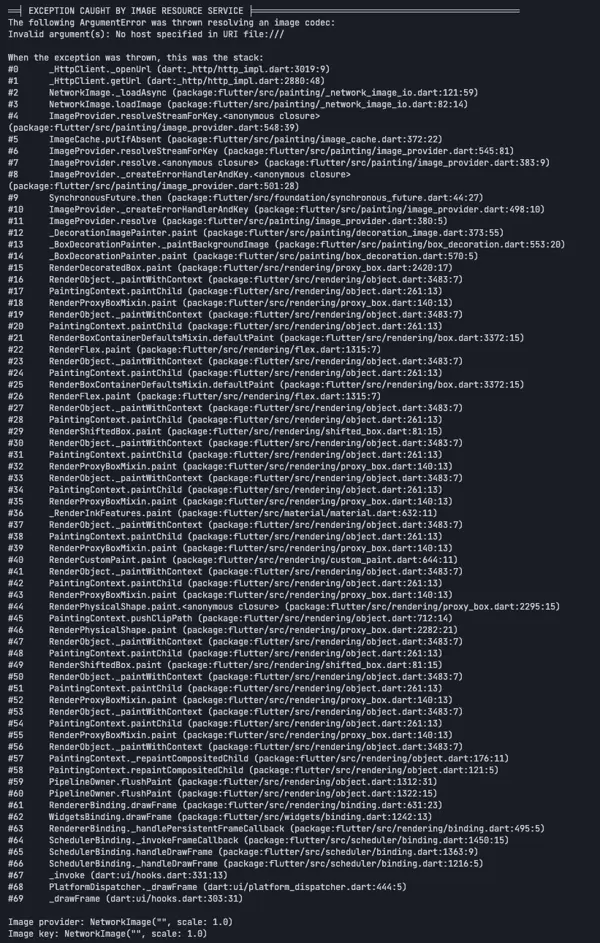
];在开发仓库列表过程中,执行“加载更多”操作时偶尔会抛出错误日志。经排查发现,问题源于部分用户头像 URL 字段为空,导致 Image 组件加载失败。
解决方案是在渲染头像时增加判空处理:若 avatar_url 为空,则使用默认占位图像替代。
修改后的关键代码如下:
CircleAvatar(
  radius: 16,
  // 增加默认图像适配
  backgroundImage: repo.owner.avatarUrl.isEmpty
  ? NetworkImage('https://cdn-img.gitcode.com/dc/ff/716241dc7907f816f34fb127ce523a741353a871df3b280eebb132d9c1ed227e.png?time=1745553286188')
  : NetworkImage(repo.owner.avatarUrl),
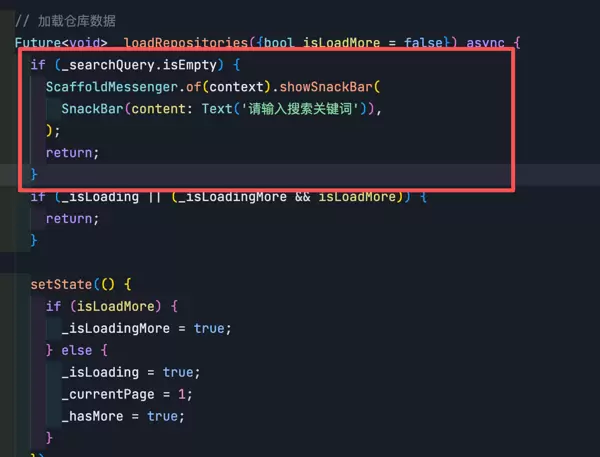
),另一个常见问题是搜索接口报错,原因在于关键字参数为必传项。若未传递或传递空字符串,服务器将拒绝请求。
对此,我们在请求函数中为 keyword 参数设置默认值以避免非法调用。另一种可行方案是在发起请求前对输入框内容做非空校验:一旦检测为空,则中断请求并提示用户。
当前代码组织尚显松散,存在较多可改进空间。例如:
虽然现阶段结构不够理想,但代码重构不必一蹴而就。我们将在后续新增功能的同时,逐步对旧有代码进行模块化拆分与结构优化,持续提升项目质量。

 扫码加好友,拉您进群
 全部版块
全部版块 我的主页
我的主页


 收藏
收藏






