全部版块 我的主页
论坛 数据科学与人工智能 大数据分析 Oracle数据库及大数据解决方案
2870 12
2015-07-11

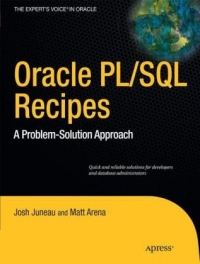
Oracle PL/SQL Recipes


A Problem-Solution Approach


Book Description
Oracle PL/SQL Recipes is your go to book for PL/SQL programming solutions. It takes a task-oriented approach to PL/SQL programming that lets you quickly look up a specific task and see the pattern for a solution. Then it's as simple as modifying the pattern for your specific application and implementing it. And you're done and home for dinner.

Oracle PL/SQL Recipes is another in Apress' ongoing series of recipe books aimed at Oracle practitioners. The recipe format is ideal for the busy professional who just needs to get the job done.
Book Details
  • Publisher:        Apress
  • By:        Josh Juneau, Matt Arena
  • ISBN:        978-1-4302-3207-0
  • Year:        2010
  • Pages:        456
  • Language:        English
  • File size:        6.2 MB
  • File format:        PDF
  • Download:      

    本帖隐藏的内容

    Oracle PL-SQL Recipes.rar
    大小:(2.59 MB)

    只需: 20 个论坛币  马上下载

    本附件包括:

    • Oracle PL-SQL Recipes.pdf


二维码

扫码加我 拉你入群

请注明:姓名-公司-职位

以便审核进群资格,未注明则拒绝

全部回复
2015-7-11 23:54:04
1-1. Creating a Block of Code

Problem

You are interested in creating an executable block of PL/SQL code.

Solution

Write the keywords BEGIN and END. Place your lines of code between those two keywords. Here's an example:

复制代码

If you want to introduce variables for your PL/SQL block, you must precede your block with a DECLARE section. Here's an example:

复制代码


二维码

扫码加我 拉你入群

请注明:姓名-公司-职位

以便审核进群资格,未注明则拒绝

2015-7-11 23:55:09
1-2. Executing a Block of Code in SQL*Plus

Problem

You want to execute a block of PL/SQL code within the SQL*Plus command-line utility.

Solution

The solution to this recipe is multitiered, in that executing a block of code in SQL*Plus incorporates at least two steps:

Enter the PL/SQL code into the SQL*Plus utility.

Execute the code block by simply placing a backslash (/) as the last line of code, and then press the Enter key.

The following is an example displaying a code block that has been typed into SQL*Plus:

复制代码

  4  /


二维码

扫码加我 拉你入群

请注明:姓名-公司-职位

以便审核进群资格,未注明则拒绝

2015-7-11 23:56:55
1-3. Storing Code in a ScriptProblem

Rather than typing your PL/SQL code into the SQL*Plus utility each time you want to run it, you want to store the code in an executable script.

Solution

Open your favorite text editor or development environment; type the PL/SQL code into a new file, and save the file using the .sql extension. The script can contain any number of PL/SQL statements, but the last line of the script must be a forward slash (/).

For example, you could place the following lines into a file named count_down.sql:

复制代码

Now you have a file that you can execute from SQL*Plus any time you want to count down from ten to zero.


二维码

扫码加我 拉你入群

请注明:姓名-公司-职位

以便审核进群资格,未注明则拒绝

2015-7-11 23:58:05
1-4. Executing a Stored Script

Problem

You have stored an SQL script to your file system and want to execute it in SQL*Plus.

Solution

Assume you have a stored script named my_stored_script.sql and that it is saved within a directory named /Oracle/scripts/. You can execute that script using any one of the following approaches:

  • Traverse into the directory containing the script, then connect to a database via SQL*Plus, and finally issue the following command:@my_stored_script.sql
  • Open the command line or terminal, connect to the database via SQL*Plus, and issue the following command:@/Oracle/scripts/my_stored_script.sql
  • Open command line or terminal, and issue the following command:sqlplus username/password@database my_stored_script.sql


二维码

扫码加我 拉你入群

请注明:姓名-公司-职位

以便审核进群资格,未注明则拒绝

2015-7-11 23:59:09
1-5. Accepting User Input from the Keyboard

Problem

You want to write a script that prompts the user for some input. You want your PL/SQL code to then use that input to generate some results.

Solution

SQL*Plus provides a facility to accept user input. Use ampersand (&) character to indicate that a particular value should be entered from the keyboard. Here's an example:

复制代码

If the previous block is executed from SQL*Plus, you will see the following text, which prompts you to enter a department ID. In this case, the department ID of 40 is used.

Enter value for department_id: 40
old   7:   WHERE department_id = &department_id;
new   7:   WHERE department_id = 40;


二维码

扫码加我 拉你入群

请注明:姓名-公司-职位

以便审核进群资格,未注明则拒绝

点击查看更多内容…
相关推荐
栏目导航
热门文章
推荐文章

说点什么

分享

扫码加好友,拉您进群
各岗位、行业、专业交流群