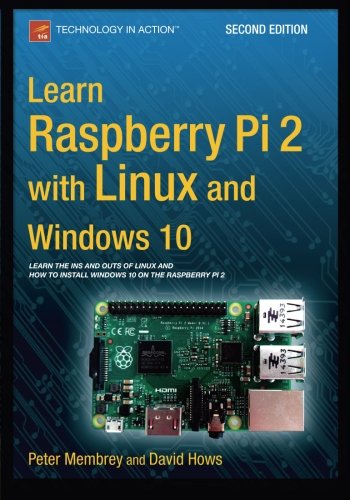
Learn Raspberry Pi 2 with Linux and Windows 10 will tell you everything you need to know about working with Raspberry Pi 2 so you can get started doing amazing things. You'll learn how to set up your new Raspberry Pi 2 with a monitor, keyboard and mouse, and how to install both Linux and Windows on your new Pi 2.
Linux has always been a great fit for the Pi, but it can be a steep learning curve if you've never used it before. With this book, you'll see how easy it is to install Linux and learn how to work with it, including how to become a Linux command line pro. You'll learn that what might seem unfamiliar in Linux is actually very familiar. And now that Raspberry Pi also supports Windows 10, a chapter is devoted to setting up Windows 10 for the Internet of Things on a Raspberry Pi.
Finally, you'll learn how to create these Raspberry Pi projects with Linux:
Making a Pi web server: run LAMP on your own networkMaking your Pi wireless: remove all the cables and retain all the functionalityMaking a Raspberry Pi-based security cam and messenger serviceMaking a Pi media center: stream videos and music from your Pi
What you’ll learnHow to install both Linux and Windows 10 on your Raspberry Pi 2How to customize your Pi's desktop environment Essential commands for putting your Pi to work Basic network services - the power behind what Pi can do How to make your Pi totally wireless by removing all the cables How to turn your Pi into your own personal web server How to turn your Pi into a spy How to turn your Pi into a media centerWho this book is for
Raspberry Pi users who are new to Linux and the Linux command line, and who want to get a taste of the new Windows 10 for Raspberry Pi 2.
Table of Contents
1: Your First Bite of Raspberry Pi
2: Surveying the Landscape
3: Getting Comfortable
4: The File-Paths to Success
5: Essential Commands
6: Editing Files on the Command Line
7: Managing Your Pi
8: A LAMP of Your Own
9: WiPi: Wireless Computing
10: The Raspberry sPi
11: Pi Media Center
12. Installing Windows 10!
13. TOR
Appendix. Doing It by Hand – Writing an SD Card Image
Paperback: 332 pages
Publisher: Apress; 2 edition (September 25, 2015)
Language: English
ISBN-10: 1484211634
ISBN-13: 978-1484211632
Product Dimensions: 7 x 0.8 x 10 inches
Shipping Weight: 1.3 pounds
http://www.amazon.com/Learn-Raspberry-Pi-Linux-Windows/dp/1484211634/ref=sr_1_1?ie=UTF8&qid=1444192480&sr=8-1&keywords=Learn+Raspberry+Pi+2+with+Linux+Windows+10




 扫码加好友,拉您进群
 全部版块
全部版块 我的主页
我的主页


 收藏
收藏