Pitchfork Angles Drawing Technique
This powerful technique requires you to allocate sufficient time and exercise patience in learning how to draw it. You'll need to spend time, maybe an hour, in learning how to draw it before thinking about its trading use. "Rushing it" will be counterproductive. After you practice drawing it yourself for a few hours, you'll see it's not that complicated. I draw these in FT/GT in about a half-minute, in MetaStock in about a minute. After your learning curve, when you start interpreting it, the learning curve of learning how to draw it will seem like healthy exercise.
If your software doesn't draw pitchforks, and you're adamant about not obtaining software that does (Fibonacci Trader, Galactic Trader, MetaStock, and more) you should know it's possible to draw pitchfork manually if your software draws trendlines and the Fib Retracement.
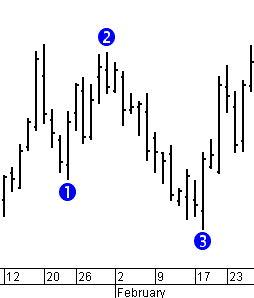
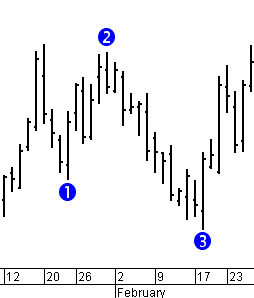
It's easier to draw in FT/GT, so I'll start there. First locate a series of three pivots, high-low-high orlow-high-low.

Use the Pitchfork drawing tool - you must first click "2" and drag to "3" and release, then lastly click "1". In the lower left of the image I'm showing the parameters I'm using.

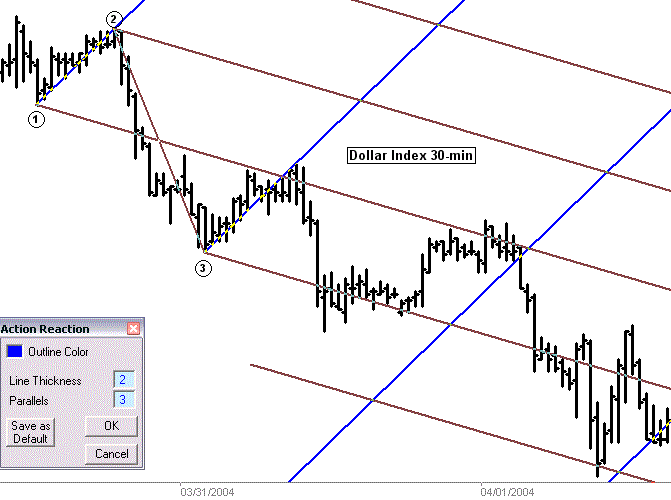
Then use the Action-Reaction Lines tool (parameters shown). Click on "1" and while holding the left mouse button down drag to "2" and release (exactly as though you were drawing a trendline). Then click once on "3".

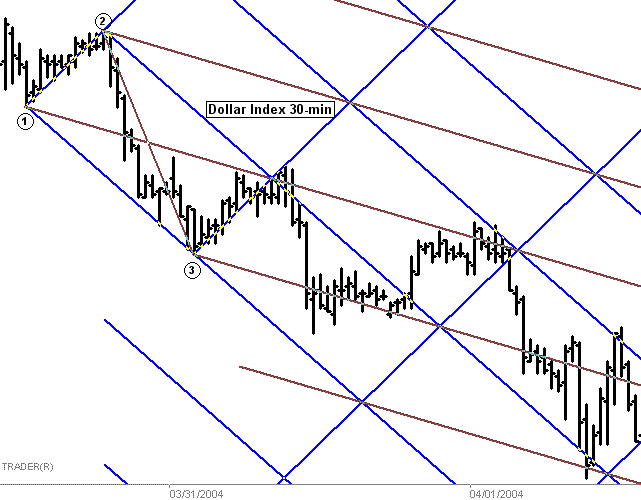
You have another set of Action-Reaction lines to draw. Click on "1" and while holding the left mouse button down drag to "3" and release. Then click once on"2". Next I'll show how to draw this using MetaStock.

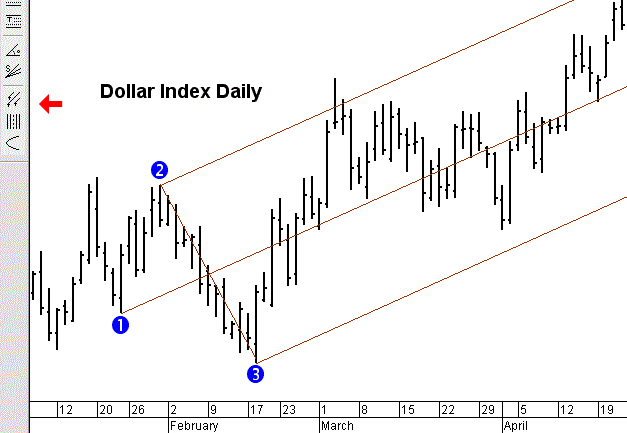
Using MetaStock, first locate aseries of three pivots, high-low-high or low-high-low.

The red arrow is pointing to the Pitchfork drawing tool in MetaStock. you must use this sequence to draw it: click on "2" and release, click on "3" and release, then click on "1". Note that MetaStock doesn't have "Expansion Lines" as FT, GT do, but that's not a major issue as you'll see in the interpretation section.

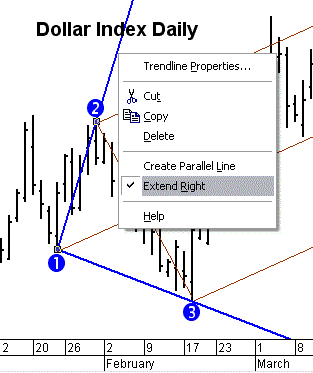
Now draw a trendline from 1 to 2 and from 1 to 3. All the trendlines after this set require that they be"extended right".

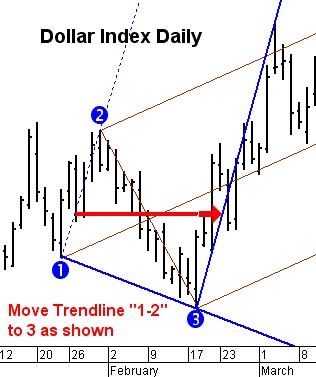
Now move trendline"1-2" to 3 as shown below. Extend it by right-clicking it and selecting "Extend Right" as shown above.

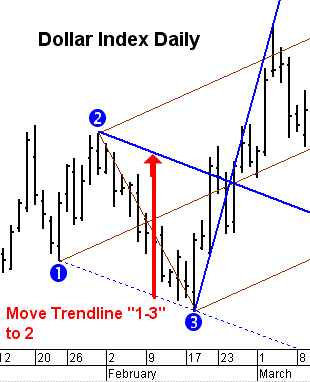
Now move trendline"1-3" to 2 as shown below. Extend it by right-clicking it and selecting "Extend Right".

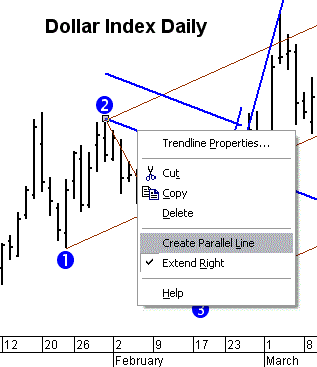
The two trendlines we moved will stay in their new location. We need to create two more. Note that by right-clicking a trendline we can select "Create Parallel Line". Create a parallel line of each trendline.

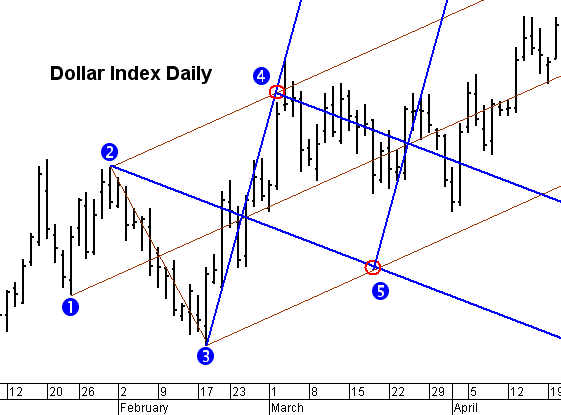
Move one parallel trendline to 4 and the other to 5 as shown below. We're done drawing Pitchfork Angles. With a little practice it's quick and easy. The next section will describe interpretation.

Market Type
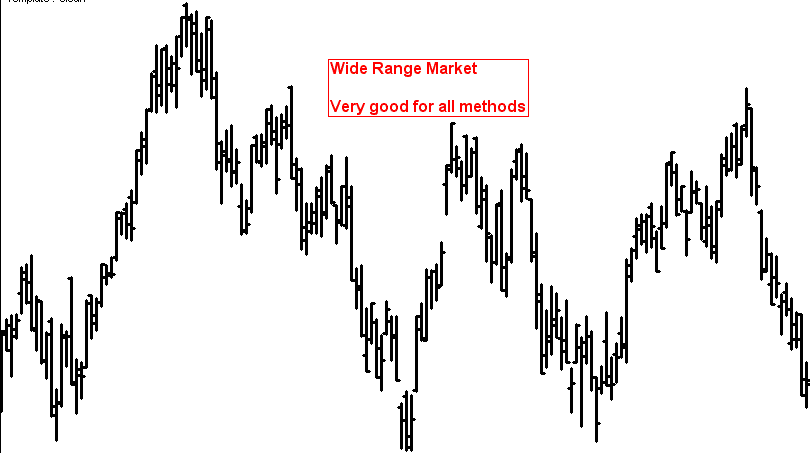
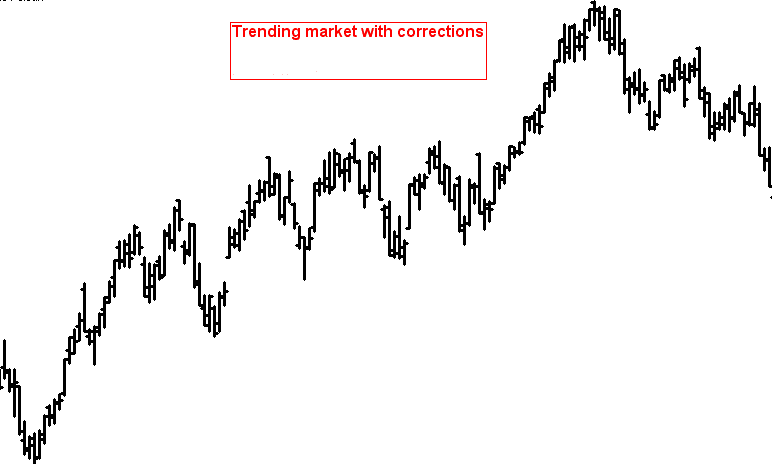
If you can find three pivots, PF-Angles works well. It's a very versatile tool. It works best on these market types:






 扫码加好友,拉您进群
 全部版块
全部版块 我的主页
我的主页


 收藏
收藏