一、首先通过root用户登录GaussDB数据库,并创建用于测试的数据库。
su - Ruby

source gauss_env_file

gsql -d postgres -p 8000 -r

create database testdb;
二、准备实验所需的数据集,构建测试数据环境。
gsql -d testdb -p 8000 -r

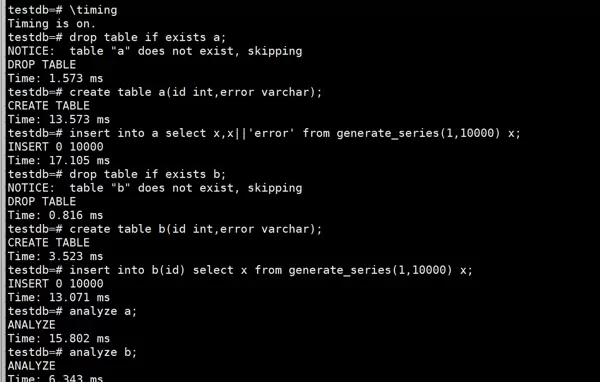
\timing

drop table if exists a;

create table a(id int,error varchar);

insert into a select x,x||'error' from generate_series(1,10000) x;

drop table if exists b;

create table b(id int,error varchar);

insert into b(id) select x from generate_series(1,10000) x;

analyze a;

analyze b;
三、实施DBMind智能诊断流程
- 运行指定的业务SQL语句,使用id字段进行表间关联,目的是将表a中的error列数据更新至表b对应的error列。执行过程中发现该操作耗时超过25秒。
update b set error = (select a.error from a where a.id=b.id) where b.id in(select id from b);

- 进入TPOPS平台,从左侧导航栏选择“实例管理”,跳转至“实例列表”界面。
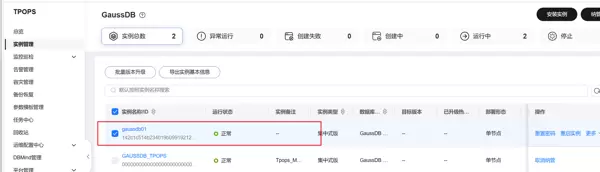
- 在实例列表中定位目标GaussDB实例,点击其实例名称以查看详细信息。
- 切换至“诊断优化 > 索引推荐”模块,进入索引推荐页面后,选择上方的“自定义”选项卡以进行进一步配置。
(内容后续待补充)




 扫码加好友,拉您进群
 全部版块
全部版块 我的主页
我的主页


 收藏
收藏





