Code VBA is an add-in for both professional software developers and MS Office users of Visual Basic for Applications. Using Code VBA you will write VBA code faster and spend less time looking for solutions on-line:
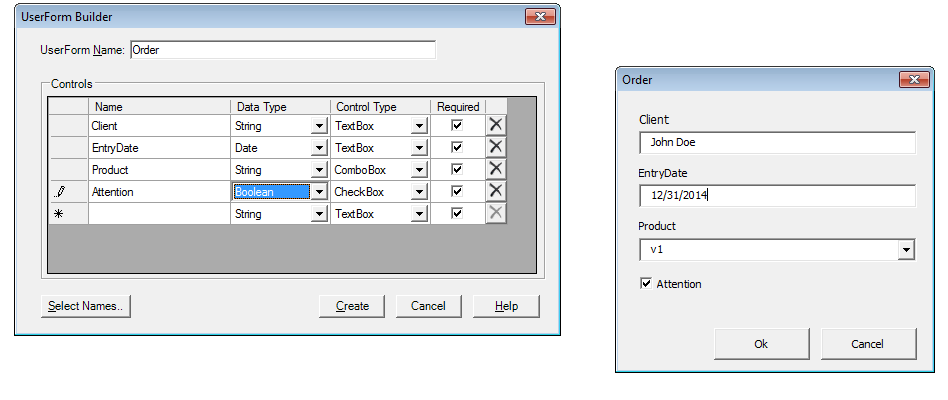
To make your own dialogs in Excel or Word use the
Userform Builder which also helps with validating the input.

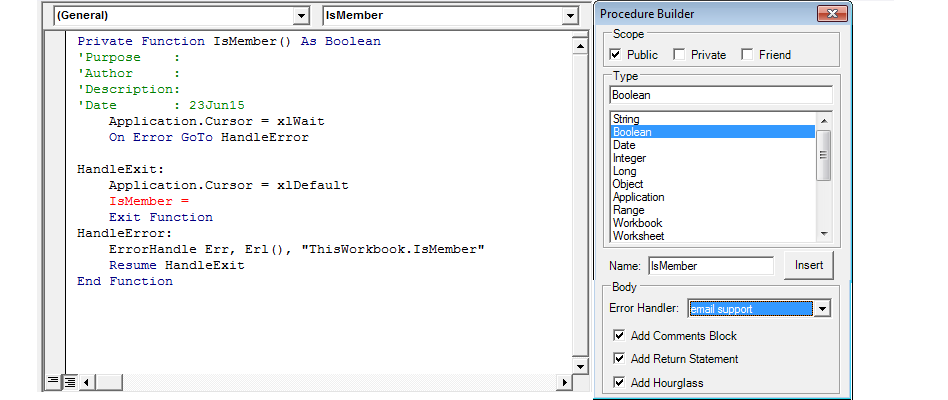
The
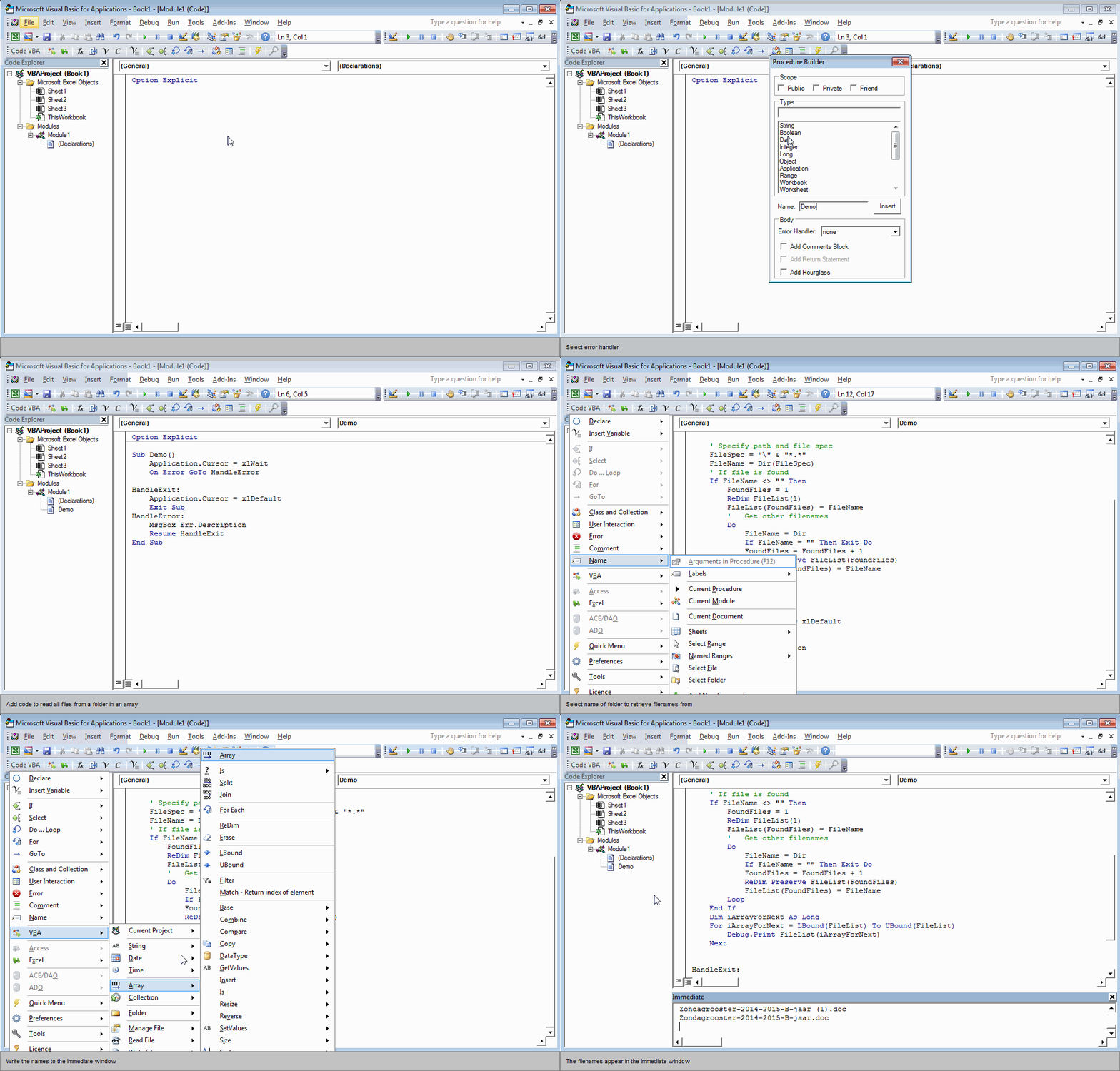
Procedure Builder lets you specify the basic features of a new function or sub including comments block and error handling.

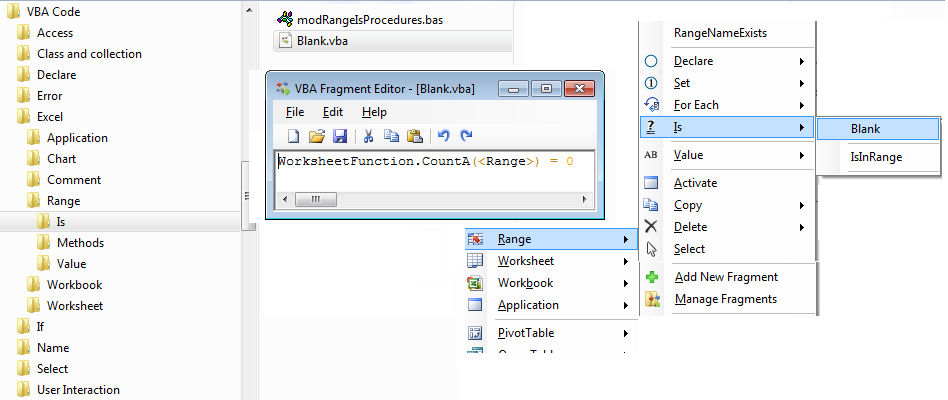
You can make new code fragments available from the menu either by using the
Fragment Editor ('New Fragment' on the menu), or by adding your own code modules in the appropriate subfolder under \My Documents\VBA Code\.

Use the
Excel VBA add-on to insert code blocks concerning Excel classes and their documentation.

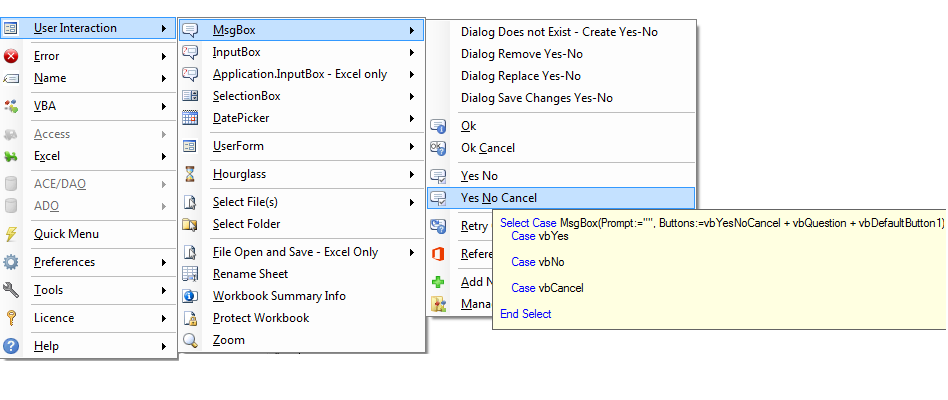
For user interaction many built-in and
custom dialogs are made available with supporting code.

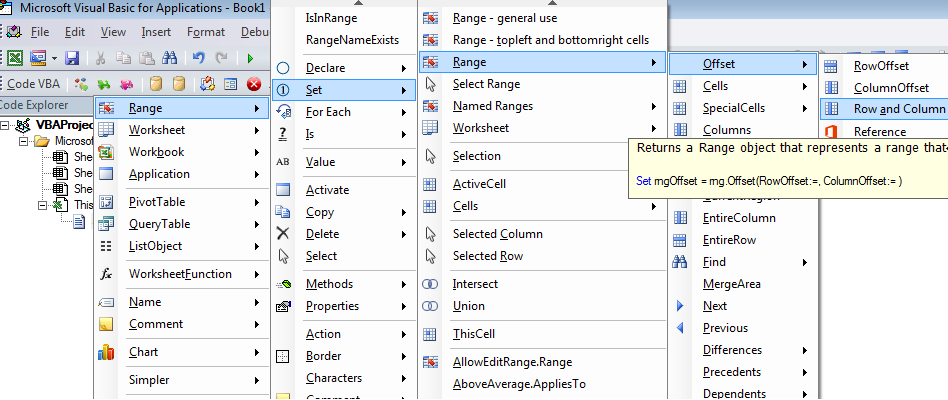
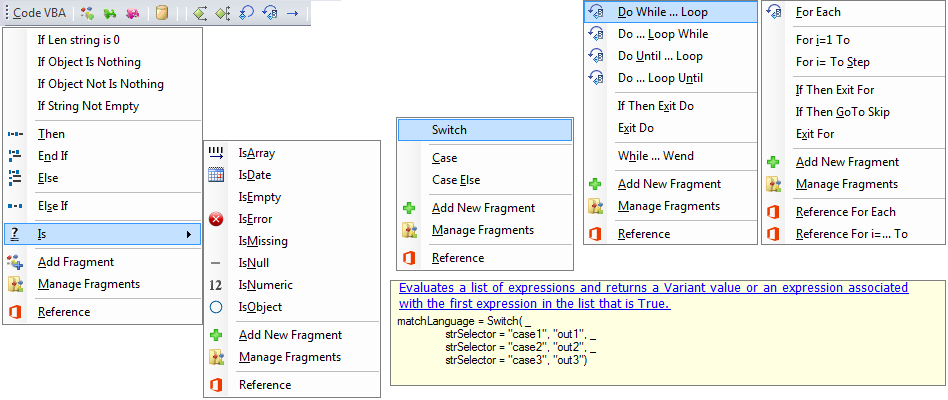
Easy insertion of control statements: If .. Then .. Else, Select, While, For and GoTo. When hovering over Switch a tooltip appears showing the code that will be inserted and a description and link to documentaion for this statement.

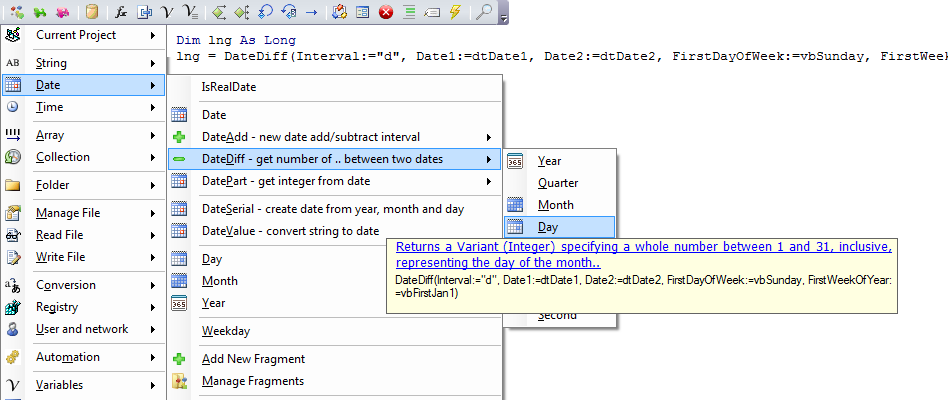
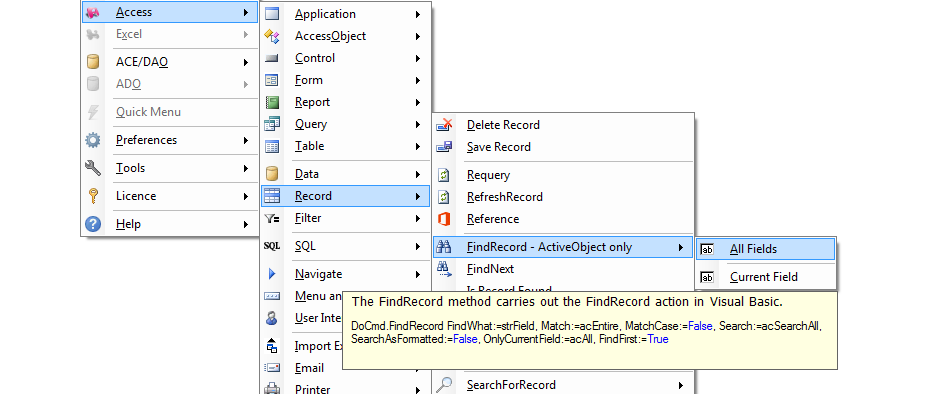
Insert code from the menu. Tooltips show the code that will be inserted and info on what the procedure does and hyperlinks to a help page if available - F1.

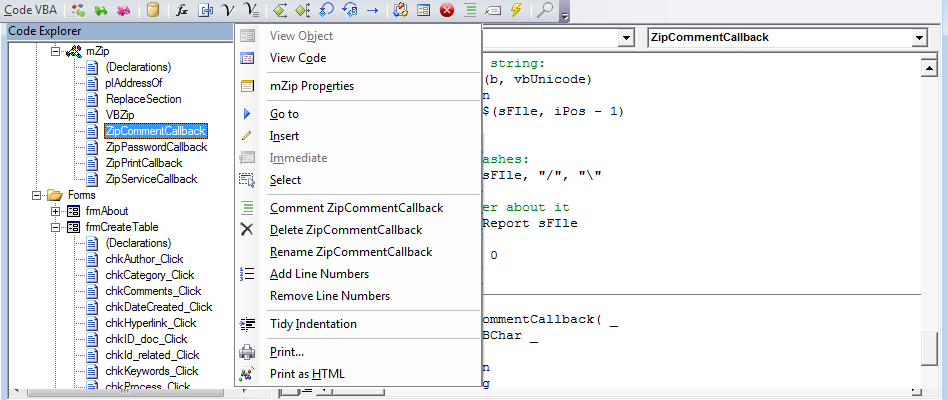
The
Code Explorer is a replacement of the Project Explorer which lets you navigate to procedures and adds many new features.

Use the
MS Access VBA add-on to work with Access objects, SQL, recordsets and access their documentation.

start the demo

- Code insertion: Insert complete blocks of code declarations, program structures and procedure calls.
- The Code Fragment editor: Pick up useful pieces of code, called code fragments or snippets and store them in a logically organized library.
- Reference: Directly access the relevant documentation on Office MSDN online.
Code VBA works with Works with MS Access, Excel, Word, Outlook, PowerPoint, Publisher, MS Project, SharePointDesigner, Visio and AutoCad. Office 2000 - 2016, both 32 and 64 bit versions; Windows XP (SP3), VISTA, Windows 7, Windows 8 and Windows 10.
download:
http://codevba.com/download.htm
药:




 扫码加好友,拉您进群
 全部版块
全部版块 我的主页
我的主页


 收藏
收藏