 Excel2019InsideOutCompanionFiles.zip
大小:(18.42 MB)
Excel2019InsideOutCompanionFiles.zip
大小:(18.42 MB)
马上下载
本附件包括:
- 28-PowerBISampleData.xlsx
- 01-NewFeatures.xlsx
- 02-ExcelInterface.xlsm
- 03-CustomizeExcel.xlsx
- 04-KeyboardShortcuts.xlsm
- 05-Formulas.xlsm
- 06-Formulas.xlsm
- 07-UnderstandingFunctions.xlsx
- 08-Dates.xlsm
- 08-Sum.xlsm
- 08-TextFunctions.xlsm
- 09-Cell.xlsm
- 09-DatabaseFunctions.xlsm
- 09-Formulas.xlsm
- 09-IsFunctions.xlsm
- 09-LinkedData.xlsm
- 09-Logical.xlsm
- 09-Lookup.xlsm
- 09-NA.xlsm
- 09-YTD.xlsm
- 10-OtherFunctions.xlsm
- 11-Link To Me.xlsm
- 11-LinkingWorksheetsA.xlsm
- 11-LinkSyntax.xlsm
- 11-LinkToMissing.xlsm
- 11-ReadMeForInfo.xlsx
- 12-ArrayFormulas.xlsm
- 12-CreateNames.xlsm
- 12-FromSelection.xlsm
- 12-MonsterFormulas.xlsm
- 12-PreviousSheet.xlsm
- 12-SpearingFormula.xlsm
- 12-Transpose.xlsm
- 13-PowerQuery.xlsm
- 13-UglyData.xlsm
- 14-Filtering.xlsm
- 14-Subtotals.xlsx
- 15-PivotTables.xlsx
- 16-Slicers.xlsx
- 17-PowerPivot.xlsm
- 18-Scenario.xlsm
- 18-WhatIf.xlsm
- 19-Customers.xlsm
- 19-Invoices.xlsx
- 19-Looping.xlsm
- 19-MacroToImportInvoices.xlsm
- 19-MailingList.xlsm
- 20-Tips.xlsm
- 21-FormattingExamples.xlsm
- 21-ThemeApex.xlsm
- 21-Themes.xlsm
- 22-DataVisualizations.xlsx
- 23-Charting.xlsm
- 23-Charting2.xlsm
- 24-CornProduction.xlsm
- 24-CustomMap.xlsm
- 24-FloridaCity.xlsm
- 24-MapTwoLayers.xlsm
- 24-PowerMapFlight.xlsx
- 24-PowerMapHomeSearch.xlsm
- 24-StoreMap.jpg
- 25-Sparklines.xlsm
- 26-3DModel.xlsx
- 26-Art.xlsx
- 26-Pictures.xlsm
- 27-Printing.xlsm
- 27-Solver.xlsx
- 27-WillItRender.xlsm
- 28-PowerBI.pbix
书籍的源代码可以从以下地址免费下载,书籍花钱买的,换点论坛币以交换资源,请谅解。无币的朋友,请留邮箱。
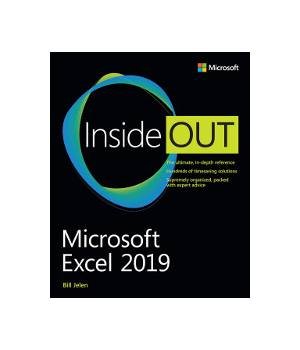
Dive into Microsoft Excel 2019 - and really put your spreadsheet expertise to work. This supremely organized reference packs hundreds of timesaving solutions, tips, and workarounds - all you need to make the most of Excel's most powerful tools for analyzing data and making better decisions. Renowned Excel expert Bill Jelen offers a complete tour of Excel 2019 and Excel in Office 365, from efficient interface customizations to advanced analysis, visualizations, and dashboards. Discover how experts tackle today's key tasks - and challenge yourself to new levels of mastery.
Enter formulas more efficiently, and fully control operators and dates; Master the most widely-used functions in Excel; Integrate external data from the web and other sources; Easily transform complex datasets with Power Query; Quickly summarize millions of records with Pivot Tables; Perform ad hoc analyses with slicers and other filters; Create advanced data mashups with Power Pivot; Solve complex problems with What-If, Scenario Manager, Goal Seek, and Solver; Automate repetitive tasks by editing recorded VBA code; Demystify data with conditional formatting and other visualization techniques; Use the newest maps, charts, and data types in Excel; Show geographical changes over time with animated 3D maps; Use dynamic array functions: SORT, FILTER, UNIQUE, SORTBY and SEQUENCE; Find insights using Excel's new artificial intelligence; Collaborate via Excel 2019's breakthrough CoAuthoring tools; Publish Power BI Desktop dashboards based on Excel data.




 扫码加好友,拉您进群
 全部版块
全部版块 我的主页
我的主页


 收藏
收藏





